Epson Apex Manual do Utilizador Página 78
- Página / 122
- Índice
- RESOLUÇÃO DE PROBLEMAS
- MARCADORES

- USER'S 1
- User’s Guide 2
- Q50187005 3
- Contents 5
- Appendixes 7
- Introduction 3 10
- How to Use This Manual 11
- Introduction 12
- Setting Up Your System 13
- 3 Arranging the Components 17
- The front panel 18
- The back panel 20
- Your System 22
- Connecting the Monitor 23
- Connecting the Keyboard 26
- Turning On the Computer 31
- 1-20 Setting Up Your System 32
- System startup 34
- Initial screen display 35
- 9 36
- Enter. For now 38
- Using Your Apex 41
- Ret urn 42
- Caps Lock, Num Lock 43
- Caps Lock or the 43
- Selecting Execution Speed 44
- Ctrl and 45
- Turning Off the Computer 47
- Chapter 48
- How Diskettes Work 49
- When you are not 52
- Protecting Your Data 54
- Write-protecting diskettes 55
- Making backup copies 56
- Using MS-DOS with Your Apex 57
- Starting and Exiting MS-DOS 59
- Ctrl and C. However 60
- Enter, you can do one of 61
- Storing Data 62
- Preparing Diskettes for Data 64
- Enter to start formatting. As 65
- Copying Data 66
- Using the COPY command 68
- Changing the Default Drive 71
- Installing Option Cards 73
- Removing 74
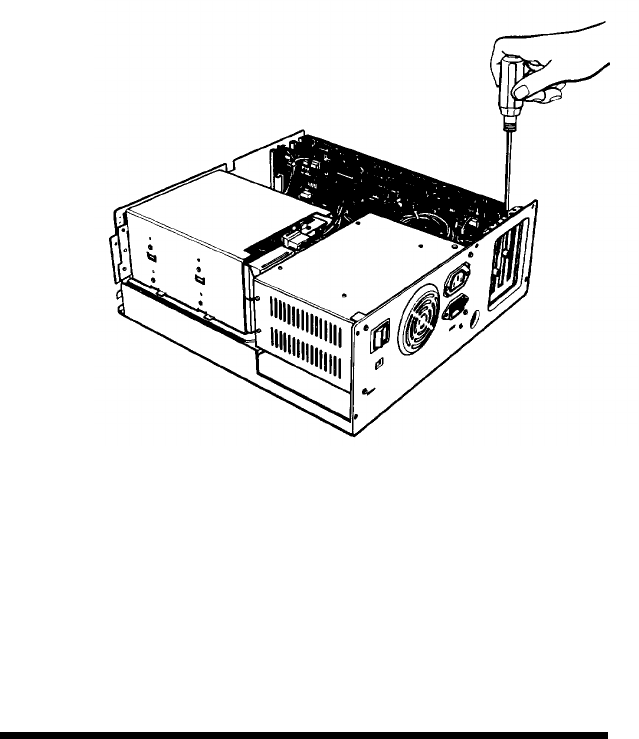
- Inserting the Option Card 76
- Replacing the Cover 79
- Post-installation Setup 80
- Removing Option Cards 81
- Troubleshooting 83
- The Computer Locks Up 86
- Floppy Disk Problems 87
- Software Problems 88
- Printer Problems 89
- Option Card Problems 90
- Setting the DIP Switches 91
- Table A-1 93
- 4 (Memory 94
- (Monitor and adapter 94
- A-4 Setting the DIP Switches 94
- Switches 95
- Setting the DIP Switches A-5 95
- Specifications 97
- Keyboard 98
- Mass Storage 98
- Power Supply 99
- Environmental Requirements 99
- Video and Display Options 100
- Glossary 101
- GW-BASIC 105
- Operating system 107
- Caps Lock 111
- Ctrl C, 4-4 112
- Ctrl Alt Del 112
- Hard disk 113
- Option cards 114
- Diskettes 114
- Num Lock 117
- 1-4, 1-9, 1-13, 1-22, 6-3 118
- Scroll Lock 119
- Quick Guide To Setting Up 121
Manuais e produtos relacionados com não Epson Apex
 (216 páginas)
 (8 páginas)
(1 páginas)
(8 páginas)
(1 páginas)
 (2 páginas)
(1 páginas)
(2 páginas)
(2 páginas)
(1 páginas)
(2 páginas)
 (40 páginas)
 (4 páginas)
(2 páginas)
(4 páginas)
(8 páginas)
(32 páginas)
(2 páginas)
(45 páginas)
(4 páginas)
(2 páginas)
(10 páginas)
(1 páginas)
(1 páginas)
(4 páginas)
(2 páginas)
(4 páginas)
(8 páginas)
(32 páginas)
(2 páginas)
(45 páginas)
(4 páginas)
(2 páginas)
(10 páginas)
(1 páginas)
(1 páginas)
© 2020, manymanuals-pt.com. Todos os direitos reservados. | 0.307 s |
 Manymanuals.com
 Manymanuals.de
 Manymanuals.fr
 Manymanuals.it
 Manymanuals.pl
 Manymanuals.cz
 Manymanuals.es
 Manymanuals-pt.com
Comentários a estes Manuais